🎉 Introducing the AI Image Creation Toolkit — your complete guide to creating amazing AI-generated images. Whether you’re just starting out or already experienced, this package makes it simple and fun to create beautiful visuals.
📦 What’s Inside the AI Image Creation Toolkit?
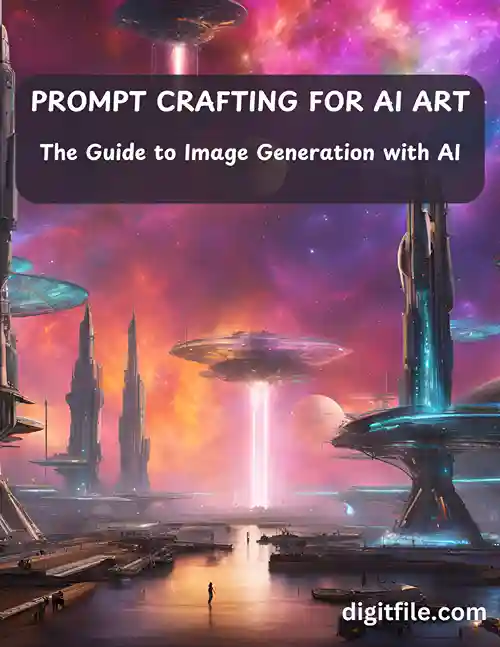
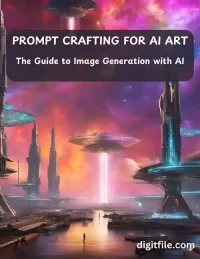
📘 E-book: Prompt Crafting for AI Art
A clear and easy guide to writing prompts that create high-quality AI images.
✏️ 120 Example Prompts
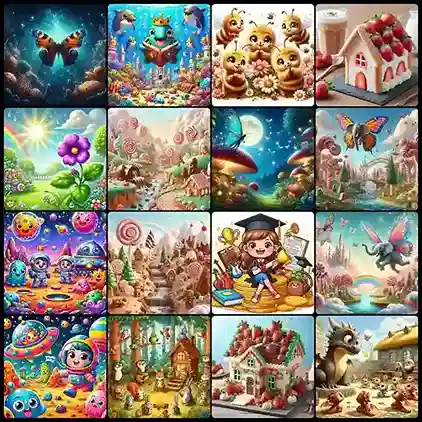
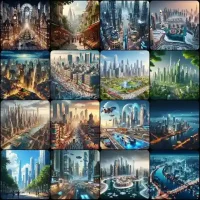
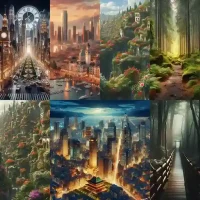
Ready-to-use prompts, including 50 examples with images, to help you get started quickly.
🖼️ Image Library
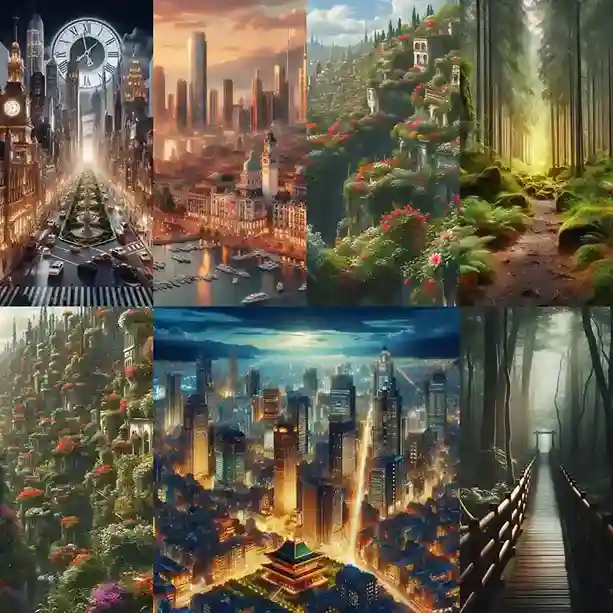
A collection of 1,150 AI-generated images in different styles and themes to use in your projects.
💡 Why Choose This Toolkit?
This toolkit is designed to help you learn and succeed in AI image creation.
🧠 Learn Prompt Writing
Follow simple steps to write clear and creative prompts that give you amazing results.
⏱️ Save Time and Effort
Use 120 pre-made prompts to get started fast. Learn from examples to improve your own work.
📂 Get Ready-Made Images
Access 1,150 AI-generated images to use in your designs, marketing, education, and more.
👥 Who Can Benefit?
This toolkit is perfect for anyone, including:
-
📝 Content Creators (bloggers, social media managers)
-
🎨 Designers (professionals and hobbyists)
-
📈 Marketers (creating visuals for campaigns)
-
👩🏫 Educators (teachers needing examples for classes)
-
💼 Entrepreneurs (business owners wanting professional images)
-
🤖 Tech Enthusiasts (exploring AI creativity)
🛠️ How to Use the AI Image Creation Toolkit:
-
📘 Start with the Ebook
Learn how to write great prompts for AI image generation.
-
🔍 Study Example Prompts
See how the prompts and images work together.
-
🖼️ Use the Image Library
Find ready-to-use images for your projects.
-
✍️ Write Your Own Prompts
Apply what you’ve learned to create your own prompts.
-
🧪 Experiment and Improve
Test new ideas and refine your images.
🎨 Adapting Prompts to Your Needs
Learn to adjust prompts for your unique creative ideas.
AI-generated images depend entirely on the text prompts you give. By learning how to tweak and improve your prompts, you can guide the AI to produce images that match your vision perfectly.
🧩 1. Understand the Prompt Structure
A good prompt usually includes a few key elements:
-
Subject – What is the image about?
-
Style – What artistic or visual style should it follow? (Realistic, watercolor, anime, cyberpunk, etc.)
-
Mood – What emotion or atmosphere should it express? (Peaceful, dramatic, mysterious, joyful, etc.)
🔍 Example Breakdown:
-
Subject: A forest
-
Style: Realistic
-
Mood: Peaceful
This foundation helps you build prompts that are both specific and flexible.
🔧 2. Make Adjustments
To create different versions of an image or shift the idea, change one or more parts of the prompt.
🔄 Example Transformations:
-
Original: “A green forest lit by sunlight”
-
New Subject: “A peaceful beach at sunset”
-
New Style: “A green forest in watercolor painting style”
-
New Mood: “A mysterious forest covered in fog”
This method allows you to explore endless variations without starting from scratch.
✏️ 3. Keep It Simple
Clear and concise prompts often produce the best results. Avoid long or overly complex sentences.
✅ Tips for Simple, Effective Prompts:
-
Use descriptive but straightforward words: “soft light,” “snowy mountain,” “glowing neon lights”
-
Separate ideas with commas to help the AI understand:
“Cyberpunk city, nighttime, neon lights, rainy atmosphere”
🧪 4. Experiment and Explore
Don’t expect the perfect image on the first try. Trial and error is part of the creative process. Slight changes can make a big difference.
🔁 Try this mini workflow:
-
Write a basic version of your prompt.
-
Generate an image.
-
Change one detail at a time (subject, lighting, color, composition).
-
Compare results and improve.
🛠️ 5. Refine the Results
If your image isn’t quite right:
-
Add more detail to guide the AI more clearly.
-
Remove extra words if the image looks too cluttered.
-
Use positive words (“bright,” “vibrant,” “detailed”) or negative prompts (“no text,” “no blur,” “no distortion”) to improve quality.
📌 Before and After Example:
-
Basic Prompt:
“A forest in the morning”
-
Improved Prompt:
“A misty forest at sunrise, soft golden light, peaceful mood, realistic style, high detail”
With this refined approach, your images become more aligned with your imagination.
🌟 Final Tip:
Think of prompt writing as visual storytelling. The more clearly you express your idea, the better the AI will translate it into a beautiful image. With practice, you’ll be able to write prompts that bring your most creative visions to life.
Why Wait?
Get the AI Image Creation Toolkit now and unlock your creative potential. It’s easy to use, packed with resources, and made for anyone who wants to explore the exciting world of AI image generation!

![Earn Crypto Easily – No Skills Needed, No Investment Required! [2025] pdf](https://digitfile.com/wp-content/uploads/2025/02/earncrypto-1-150x150.webp)

![Achieve Brilliance: Strategies for Academic Success [E-book 2024]](https://digitfile.com/wp-content/uploads/2024/03/8l.webp)


![Earn Crypto: The Ultimate Guide to Online Income with Digital Currency Payments [ E-book 2024 ]](https://digitfile.com/wp-content/uploads/2024/03/7.webp)